
Lorem Ipsum: when dummy text helps to test a layout
Generate Lorem Ipsum placeholder text for design and development. Choose the number of paragraphs, sentences or words.
A layout without final text needs to be tested with provisional content to reveal cuts and empty spaces.
Generate Lorem Ipsum placeholder text for design and development. Choose the number of paragraphs, sentences or words. To try it, open Lorem Ipsum and follow what happens with a real example.
Understand the tool
Generate paragraphs of Lorem Ipsum in seconds. Latin, Portuguese and HTML options.
What is Lorem Ipsum
Dummy text used since the 16th century. Allows designers to focus on layout without being distracted by content.
Offers traditional Latin and Portuguese. Generate from one sentence to dozens of paragraphs.
When to use — 4 practical situations
Prototyping
Fill screens with realistic text to test visual hierarchy.
Check fonts, sizes and spacing with real text.
Create complete presentations before the final text is ready.
Generate large volumes to test editors and form fields.
What to consider when using this tool
Excerpt from a Latin text by Cicero (45 BC) altered to have no meaning.
It is public text and can be used freely.
Paragraph has multiple sentences (4-6). Use sentences for small spaces.
Automatically generated, correct grammatical structure but without semantic meaning.
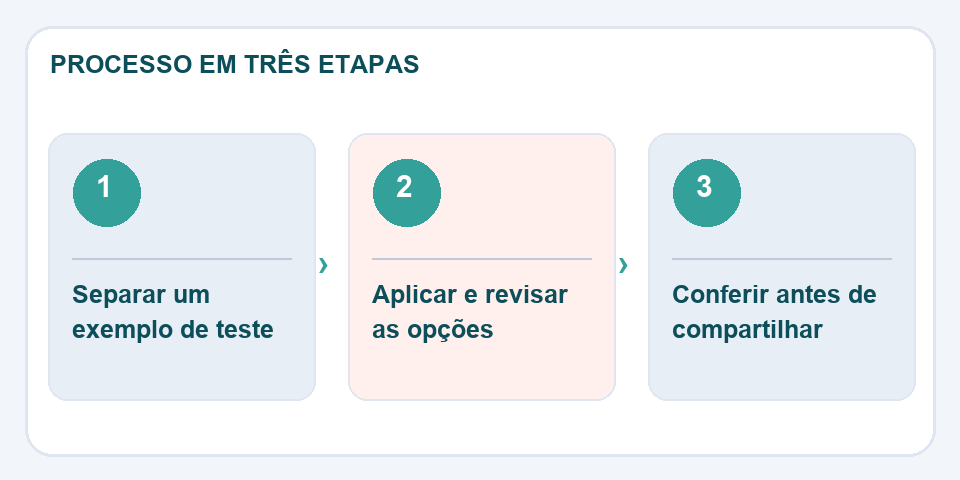
Provisional text helps you test the appearance of pages, buttons, and cards until the final copy is ready.
Before publishing, replace any dummy content and make sure the layout still works with real text and longer titles.
The reading that comes after processing
Change the dummy text before publishing and also test with longer sentences than those in the example.
Reread the beginning, middle and end of the result. Pay attention to proper nouns, accents, numbers and signs that can change the meaning of a sentence. If the text will be used on a website or message, paste a small sample into the target editor to check line breaks and characters.
A second conference
Reading the result aloud or opening the text in another editor often reveals problems with punctuation, coding and line breaks. Names of people, foreign terms, abbreviations and numbers deserve special attention because automatic tools can treat these parts inconsistently.
Also read
- Word frequency: find repetitions in a long text
- Extract emails from a text without taking the wrong addresses
- Capitalization and lowercase: standardize texts without losing proper names
Technical reference: page structure and accessible reading order (W3C).

Fabiano Freitas has a degree in Information Technology Management and writes about technology applied to everyday life, digital tools and productivity. At FileBito, it publishes practical guidance on PDF, images, data and conversions, with attention to privacy, file quality and checking results.