
Damaged PDF: what to try before giving up on the file
Understand the limits of recovering a PDF that has an error and how to preserve the original version during attempts.
The file was downloaded, the name ends in .pdf, but the reader shows an error message. This may indicate an incomplete download, a truncated file, or an inconsistent internal structure. The first step is not to convert repeatedly: it is to find out if the source is still available.
A simple test avoids wasted time
Check the file size and try opening a new copy downloaded from the same source. A PDF of a few bytes could just be an error response saved with the wrong extension. If it arrived via email, ask the sender to resend it as an attachment instead of copying excerpts via messaging apps.
When is it worth using a repairman?
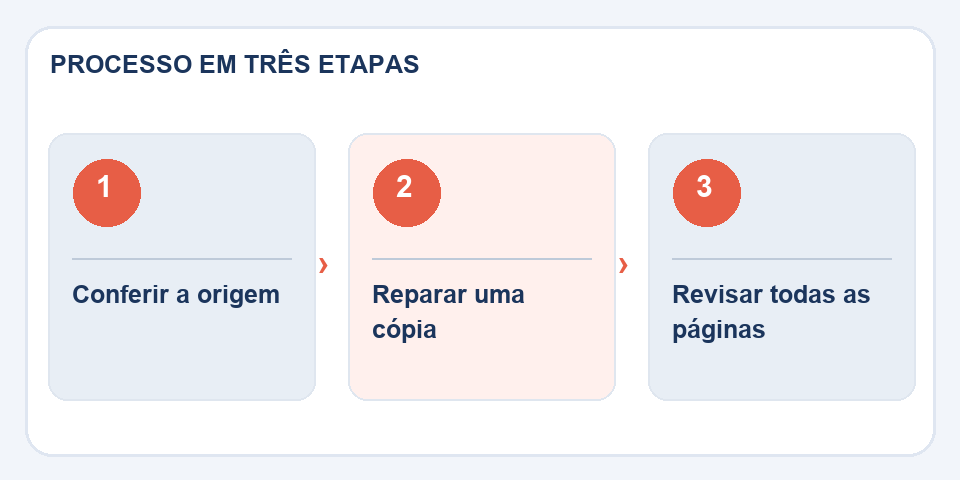
The toolRepair PDFmay attempt to reconstruct parts of the structure that allow readers to locate pages and objects. Make the attempt on a copy. Even when the document opens again, missing images, fonts or pages don't magically reappear if their data has already been lost.
If the file contains legal documents, receipts or signed forms, keep the original intact. A repaired copy may have a different structure and should not be presented as if it were the same signed document.
See beyond the first page
After recovery, go through the beginning, middle, and end, looking for blank pages, strange symbols, and missing attachments. Compare the page count to what you expected. If the repair fails, go back to the source and request another export. This is often the quickest and most reliable solution.
File size tells a story
When a PDF should contain dozens of pages and weighs just a few kilobytes, there is a high chance of missing content. This can happen after an interrupted transfer or when a system saves an error message in place of the document. Do not conclude that a file is valid just because it has the correct extension. Compare with an older version, when available, and note whether the expected pages were retrieved.
If the file opens in one reader and fails in another, record which program had the error and test a new export from the source. In some cases the incompatibility is in the reader, not in the data. Avoid installing unknown programs that promise miracle repairs. For files with sensitive information, prefer local operations and keep the original defective copy until you are sure that the recovery is complete.
Also read
- How to compress PDF without losing quality (2026 guide)
- How to join PDF online for free (without installing anything)
- PDF to Word: what can be preserved and what can be left out of place
Technical reference: PDF size optimization and reduction (Adobe).

Fabiano Freitas has a degree in Information Technology Management and writes about technology applied to everyday life, digital tools and productivity. At FileBito, it publishes practical guidance on PDF, images, data and conversions, with attention to privacy, file quality and checking results.