
Image compression for websites: less weight without sacrificing the photo
Choose resolution, quality and image format to reduce the size of photos on web pages without blurring text and borders.

A recipe page takes time to open because each photo was sent straight from the camera, weighing several megabytes. The reader only needs to see the food clearly in the width of the cell phone. Reducing the file weight can transform the experience, as long as compression is done with criteria.
Dimensions come before quality percentage
If the image occupies 800 pixels on the page, there is no reason to always publish the 6000 pixel version. Resizing first often reduces quality more than aggressively tightening. UseCompress imageto try it on and observe both the dimension and the final weight.
JPEG and WebP work well on photographs; PNG tends to make more sense in graphics or images with transparency. The choice depends on the content and compatibility required. An image with small numbers may look bad at acceptable compression levels for landscapes.
The test must take place where the image appears
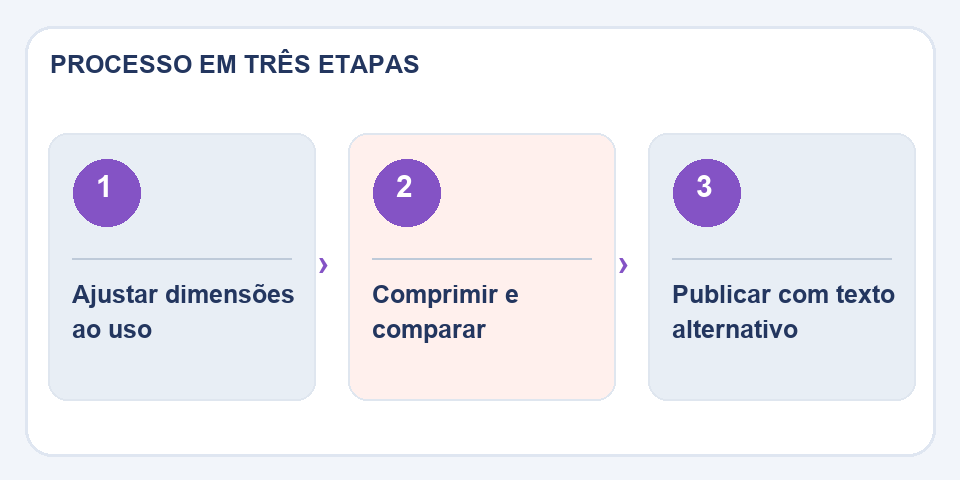
Compare original and compressed at full size on the page, on light and dark screens where relevant. See faces, product borders, gradients, and inline letters. The most common defects are visible blocks, double contours and spots in uniform areas.
Names, versions and responsibility
Adopt descriptive file names, such ascake-chocolate-slice.webp, and alternative text that describes the content for those who cannot see the photo. Preserve the original version in your library. If you publish a lot of images, standardize widths and compare loading on a slow connection. Compressing well is finding the smallest version that remains pleasant and understandable.
The page weight is the sum of the images
A photo reduced from 3 MB to 280 KB represents important savings, but a gallery with twenty images of this size still requires several megabytes. Look at the set: cover size, thumbnails, article images and version for larger screens. Posting the same huge photo in every space wastes visitor data. When the platform supports responsive images, provide versions proportional to the display size.
Also avoid successive compressions throughout the edit. If someone saves an already reduced JPEG and the next editor compresses it again, the loss accumulates. Keep a quality copy of the original photo, with a name and organization that allows you to find it months later. This way you can generate new sizes as the layout changes, without depending on files that have already lost details.
Also read
- Remove product photo background without erasing edges and details
- How to remove the background from an image and improve cropping edges
- PNG, JPG or WebP: which format to use in each situation?
Technical reference: image formats, compression and transparency (MDN).

Fabiano Freitas has a degree in Information Technology Management and writes about technology applied to everyday life, digital tools and productivity. At FileBito, it publishes practical guidance on PDF, images, data and conversions, with attention to privacy, file quality and checking results.