
Flatten PDF: why comments and fields may change when printing
Discover how to prepare forms and notes for printing without losing the interactive version of the original PDF.
You filled out a form on your computer, saved the file and sent it to print. On the sheet, some answers were left empty. The problem may be in the way the program interprets fields and layers, and that's where flattening comes into the conversation.
What does it mean to flatten a document
Flatten, orflatten, means incorporating certain visual elements into the page content. Instead of relying on a fillable field that the next reader needs to interpret, the text becomes part of the final presentation. The toolFlatten PDFis useful for creating copies intended for reading and printing.
There is a consequence: fields that could previously be changed may no longer be editable. Comments, annotations, and layers can also change their behavior. Make a separate version of the file, with a clear name, and keep the version interactive for future corrections.
Printing requires more than appearance
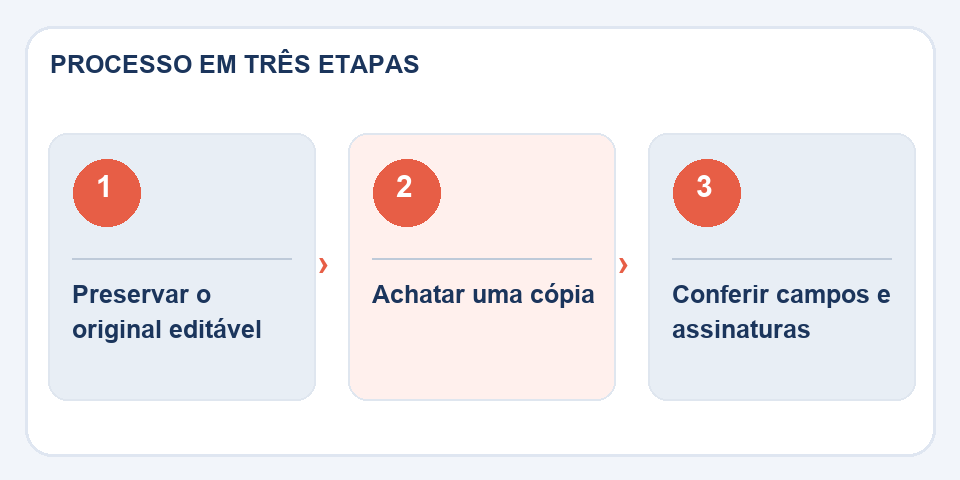
After flattening, do a test print or check a reliable preview. Examine check boxes, signatures inserted as images, dates, and table borders. Very complex documents may present differences between programs, even after the operation.
A cryptographic digital signature deserves special care. Modifying the PDF structure may invalidate your scan. If there is a certified signature, do not treat flattening as a neutral procedure: keep the signed original and follow the official shipping flow.
In what situation to avoid
When the recipient still needs to fill in fields or add information, send the editable version. Flattening is a final distribution step, chosen because you know what the other person needs to do with the document.
Test the most delicate fields
Forms can use check boxes, date fields, mutually exclusive options, and visually entered signatures. Check out at least one example of each type after flattening. A field that appears filled in on the screen may not be recorded the way you imagine; On different systems, the result may vary. A test on another reader reveals differences before they reach the printer or recipient agency.
The same reasoning applies to notes and stamps. If they are for internal review only, consider removing these elements from public copy. If they need to be part of the final document, check their position and readability. The flatten operation is useful when ending an editing flow; Applied too early, it can turn a simple fix into manual rework.
Also read
- Word to PDF: the revision that avoids broken pages and changed fonts
- PDF to Excel: How to Recover a Table Without Blindly Trusting the Columns
- Damaged PDF: what to try before giving up on the file
Technical reference: print and pagination styles for the web (MDN).

Fabiano Freitas has a degree in Information Technology Management and writes about technology applied to everyday life, digital tools and productivity. At FileBito, it publishes practical guidance on PDF, images, data and conversions, with attention to privacy, file quality and checking results.