
Heavy PDF to send by email: what really makes the file smaller
Understand why a PDF weighs so much, when compression helps and what to do if the attachment remains over the limit.
The email returned “file exceeds limit” and the first reaction is usually to press the compress button several times. It doesn't always work. A PDF with hundreds of photographs has a different problem than a contract made with just text; Understanding this difference helps you choose the next step.
Find out where the weight is coming from
High-resolution scanned photos, large color images, and entire photographed pages tend to account for much of the size. A document exported directly from the editor with selectable text can be relatively small, even with many pages.
Open the PDF and zoom in one page. If everything looks like a photograph, compression may require downsampling or recompressing images. If the text remains sharp at any zoom, it may be that most of the content is vector. In these situations, reorganizing the PDF structure can yield modest gains.
Test it once and really compare
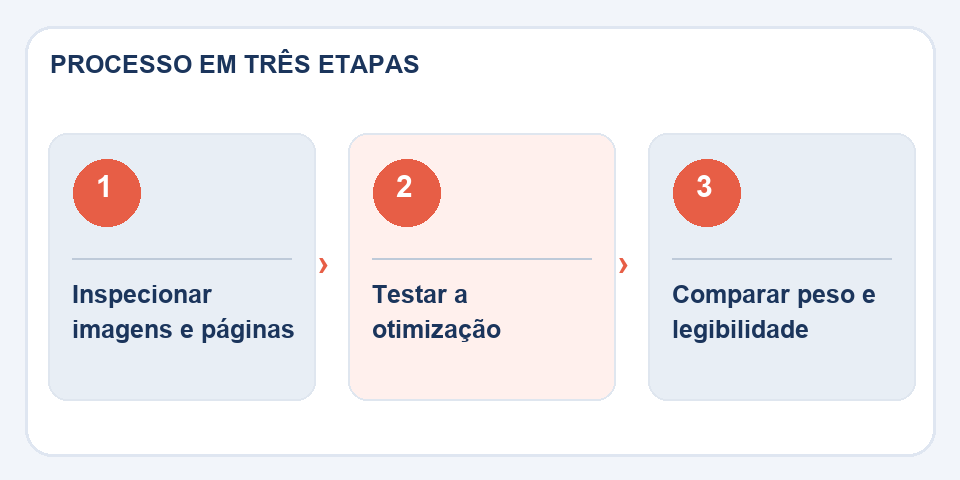
UseCompress PDFwith a copy and note the final size. There is no guaranteed reduction: already optimized files may change little or even become larger. Also compare a page with small print and another with graphics; a saving of megabytes does not compensate for unreadable numbers.
If the reduction was small, return to the origin. A presentation can be re-exported with scaled images; a scanned document may have been captured at too high a quality for its intended use. Adjusting this before generating the PDF usually gives you more control than trying to fix everything later.
Alternatives when the limit remains tight
If the recipient accepts several attachments, divide them into chapters and indicate the order. If you accept a link, use a sharing service approved by the organization, paying attention to access permissions. Do not send contracts or personal data via public links unnecessarily.
In the end, check the maximum size of the destination service — not just your email limit. Some forms require specific dimensions or formats. The correct solution is to deliver a readable and compatible file, not to chase a compression number at any cost.
Find out where the weight is coming from
If a three-page PDF takes up 45MB, there are probably huge photographs, an excessive-resolution scan, or embedded elements that warrant inspection. Open the file properties and compare with the source document. Reports exported from presentation programs can include high-resolution images even when they are displayed at a small size; in this case, optimizing the elements in the source often improves more than repeating compressions.
When you need to send a file to a client, also think about how it will be opened. An extremely compressed copy may look normal on a computer screen and look bad when printed. Test small names, QR Codes, graphics and any information that cannot be ambiguous. If the compression does not reach the limit without compromising the reading, explain this to the recipient and arrange another means of delivery, preserving the necessary quality.
Also read
- Image compression for websites: less weight without sacrificing the photo
- How to compress PDF without losing quality (2026 guide)
- PDF to Word: What to Review Before Editing a Contract or Report
Technical reference: PDF size optimization and reduction (Adobe).
Questions that often appear
Can you promise 80% reduction?
No. The result depends on the structure and contents of the source PDF.
Can compressing make text blurry?
It depends on the technique. When reducing images, photographed characters may lose sharpness. Always compare files.

Fabiano Freitas has a degree in Information Technology Management and writes about technology applied to everyday life, digital tools and productivity. At FileBito, it publishes practical guidance on PDF, images, data and conversions, with attention to privacy, file quality and checking results.