
PDF to Word: What to Review Before Editing a Contract or Report
Discover where conversion to Word often goes wrong and how to recover an editable document with less rework.
You received a PDF and need to change two sentences. It seems like a small task, but the file was created to show finished pages, not to reveal how each paragraph was put together. Converting to Word can save typing, as long as you don't expect a perfect copy of the layout.
Take a selection test first
Open the PDF and try to select a line. If the selection follows the words, there is probably usable text. If only the entire page behaves like a photograph, it may be a scan. In this case, OCR will be required to generate editable text, with an additional checking step.
O PDF to Wordworks from the information available in the file. Documents with two columns, text boxes, unusual fonts, and drawn tables often require partial reconstruction. There is no shortcut that can accurately guess the structure the author used in the original editor.
The tables deserve a second reading
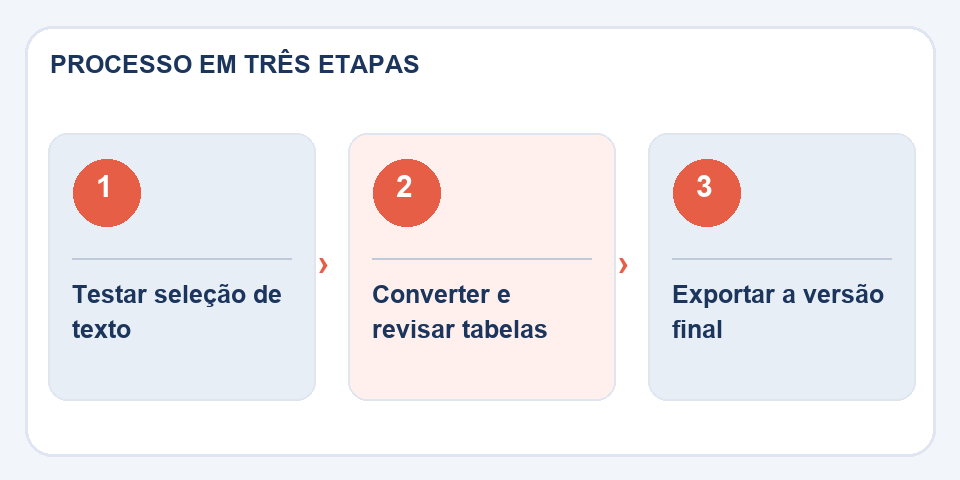
Imagine a budget in which the “unit value” column moves down one position. The document still looks professional, but the numbers start to represent something else. Compare headers, summations, dates and pages with financial information directly with the source PDF.
Page breaks also change. A replaced font makes paragraphs grow, and a signature can end up alone on the next page. Adjust the styles and tables first; Only then do the pagination.
Do not use conversion to change a signed document
If the PDF contains a digital signature, the exported Word is a new document and does not automatically preserve the validity of the previous signature. Keep the original file as proof of the version you received. Make changes only when authorized and, if necessary, obtain a new signature on the final document.
When finished, save the editable version and export it to PDF again. Compare the last copy with the proposal you wanted to deliver. Good conversion is one that saves work without hiding content errors.
A converted contract deserves line-by-line comparison
When the received file contains numbered clauses, tables, or attachments, the conversion may change indentations and spacing that appeared to be visual only. A displaced paragraph or a table separated from its title may impair understanding. Before editing, keep two windows open: original PDF on one side, converted Word document on the other. Go through each section and mark the sections that require manual intervention.
If your goal is to reuse the content as a template, it's worth creating appropriate paragraph styles in Word instead of trying to imitate every break in the PDF. This makes future edits easier. In documents that will be signed, any text change needs to be treated as a new version; Document changes and follow the relevant approval process.
Also read
- Word to PDF: the revision that avoids broken pages and changed fonts
- OCR on Scanned PDF: How to Review Recognized Text
- PDF to Excel: How to Recover a Table Without Blindly Trusting the Columns
Technical reference: page structure and accessible reading order (W3C).
Questions that often appear
Scanned PDF becomes editable Word?
The text must be recognized by OCR. The result may require correction of names, numbers and formatting.
Is the digital signature still valid in Word?
It is not automatically preserved. The conversion creates another file, which requires its own signing procedure.

Fabiano Freitas has a degree in Information Technology Management and writes about technology applied to everyday life, digital tools and productivity. At FileBito, it publishes practical guidance on PDF, images, data and conversions, with attention to privacy, file quality and checking results.