
PDF to PowerPoint: how to reuse pages in a presentation
Use PDF pages as slides and understand when the content will be an image, without text and editable shapes.
You have a report ready in PDF and want to present it at a meeting. Inserting pages as slides seems like a quick way out — and it often is. The surprise comes when someone tries to select a graphic to change the color and discovers that the entire slide is an image.
Slides as an image have an advantage
When transforming PDF pages into images, the general appearance is usually preserved: tables, photographs and titles remain in the positions they were in. It is useful for displaying already approved reports, visual proofs, and documents that do not require content editing.
O PDF to PowerPointuses this strategy. Think of the result as a slide album that reproduces pages, not as a reconstruction of the original presentation. If you need to change each text box, the original PPTX font is still the best option.
Proportion and reading on the screen
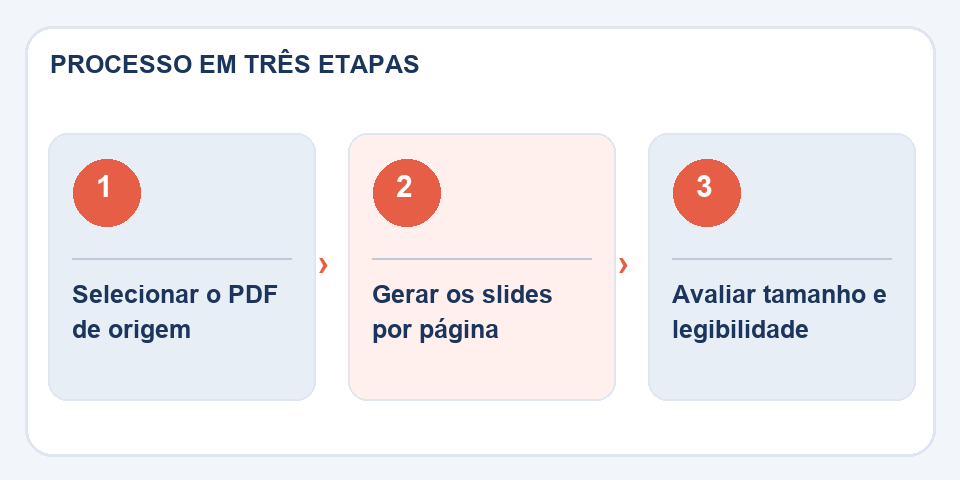
An A4 portrait page occupies a narrow area within a horizontal slide. If you try to stretch it to fill the entire screen, the text may become deformed. It's best to maintain proportions and accept margins or prepare a specific version for presentation.
Reports in 10 or 11 font may be legible on paper and poor in a boardroom. Before distributing the file, project or view it in full screen. It may be better to extract only the important graphics and create new slides with longer titles.
When rebuilding a slide is worth the effort
If the presentation will be repeated monthly, a completely rasterized page makes future updates difficult. Recreate tables and elements that change frequently, leaving the image as a temporary reference only.
Save the original PDF for comparison. When sharing the final PPTX, state when the slides represent page captures, especially if someone on the team expects to edit data. Avoiding this surprise greatly reduces rework.
When rebuilding a slide is better than converting
Receiving a presentation only in PDF is common, but the file does not necessarily store the editable objects used to assemble the slides. A graphic may return as an image, and text boxes may appear fragmented. For minor corrections, it may be sufficient to insert pages as a visual reference. For a presentation that will change frequently, recreating a chart or table in PowerPoint is often more sustainable.
A useful test is to try editing the title, graphic, and image on different slides. If each element behaves as expected, the conversion can save a lot of work. If everything is merged into a single figure, evaluate the reconstruction effort before promising a fully editable file. Also preserve the PDF as a visual reference to compare margins, logos, and proportions.
Also read
- PDF to PNG: How to Keep Letters and Graphics Sharp in the Image
- PDF to HTML: what changes when a document becomes a page
- How to join PDF documents without messing up the page order
Technical reference: page structure and accessible reading order (W3C).
Questions that often appear
Can I edit each sentence in PowerPoint?
When pages are inserted as images, the text does not become an editable text box.
Can I present an A4 PDF on a 16:9 slide?
Yes, but you will need to adapt the proportion or accept margins. Stretching the image may deform the content.

Fabiano Freitas has a degree in Information Technology Management and writes about technology applied to everyday life, digital tools and productivity. At FileBito, it publishes practical guidance on PDF, images, data and conversions, with attention to privacy, file quality and checking results.