
Image upscale: when enlarging helps and when it creates false details
Understand the limits of augmentation with artificial intelligence and how to compare the original image to the augmented file.

A small photo looks good enough on your phone, but it looks grainy when you try to print a poster. Zooming with artificial intelligence can improve visual presentation. Care must be taken to remember that the details added are model estimates, not information retrieved with certainty.
First discover the source problem
If the image is just small, enlarging it can soften edges and create a sharper appearance. If it is out of focus, dark or very compressed, increasing the size does not fully correct these limitations. The toolEnlarge AI imageit must be evaluated by the visual result and final resolution, not just by the promise of multiplying pixels.
For portraits, notice eyes, teeth and strands of hair. For products, look for logos and small inscriptions. A model may come up with letters that seem plausible but are wrong. This risk makes magnification unsuitable as the sole source for documents, evidence, and technical images.
Compare on the same display size
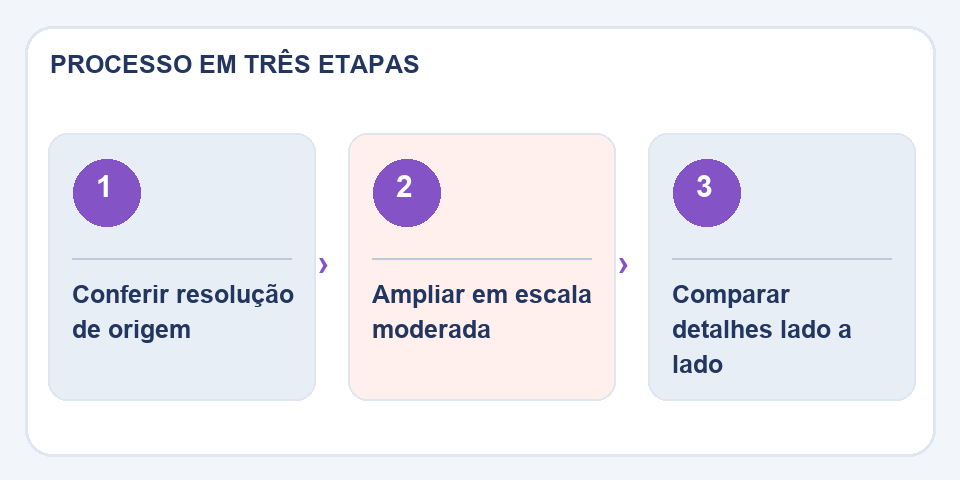
Open the original and output side by side. See if any strange textures, duplicated lines, or artificial contours appear. When the objective is printing, make a reduced size proof or simulate the final size. A beautiful miniature result doesn't always stand up to zooming.
Save two versions
Save the enlarged file with a different name and keep the original. If processing fails, try a lower resolution before insisting on a higher one. For catalog images, use the treated file only after checking that the product remains faithful to the real thing.
The risk hidden in small words
In portraits and landscapes, a texture invented by magnification may go unnoticed. On medicine labels, signs, documents and packaging, the same behavior can produce wrong numbers and letters. Therefore, do not use AI-enlarged images as proof of a detail that was not legible in the source. If the exact reading matters, look for the original image in higher resolution or photograph again.
Another good practice is to separate the aesthetic objective from the technical objective. For a decorative banner, a smoother visual finish may be sufficient. For a product catalogue, fidelity of format, color and logo is essential. Zoom in in moderate steps, compare zoomed-in cuts, and be wary of details that appear out of nowhere. The worse the source, the greater the need for human review.
Also read
- Remove product photo background without erasing edges and details
- Image compression for websites: less weight without sacrificing the photo
- How to remove the background from an image and improve cropping edges
Technical reference: image formats, compression and transparency (MDN).
Questions that often appear
Upscale recovers illegible letters?
It can improve appearance, but also invent features. It is not a reliable method for confirming texts that were not readable.

Fabiano Freitas has a degree in Information Technology Management and writes about technology applied to everyday life, digital tools and productivity. At FileBito, it publishes practical guidance on PDF, images, data and conversions, with attention to privacy, file quality and checking results.