
Signature drawn on PDF and digital signature: understand the difference
Learn when a visual signature helps, why it's not the same as a digital certificate, and how to review the signed file.
A person asks “sign the PDF” and many people imagine just writing their name with the mouse. This solves some informal flows, but not every signature has the same technical value or meets the requirements of whoever receives the document. Before signing, find out which type was requested.
The visual brand on the page
Signature tools can let you draw a line, type a name, or place a signature image. The result is visible, as if the sheet had been signed with a pen. It is useful for drafts, simple authorizations, and situations where the recipient accepts this format.
This brandis not automatically a digital signature with a certificate. It does not, in itself, prove the identity of the signatory nor guarantee the cryptographic integrity of the document. If the procedure requires a qualified digital signature, an official platform or a specific certificate, follow this requirement.
Prepare the document before inserting the signature
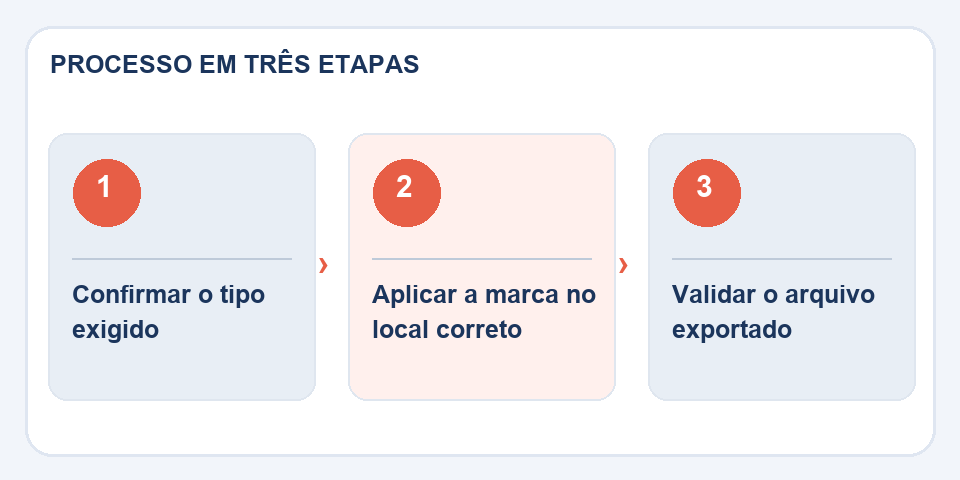
Check the data, the text version and the correct page. A signature on the wrong page or on a paragraph raises doubts. NodeSign PDF, positioning the visual element is just the final step in a process that should already be reviewed.
If there are two people signing, combine the order and preserve each version. Avoid sending an editable file to someone for signature without change control when terms are still being negotiated. Never paste a third-party signature image without authorization.
How to review the file that comes out of the tool
Open the downloaded PDF, enlarge the signature region and see if it does not cover names, dates or important spaces. Also check that the pages continue in the same sequence. For certified digital signatures, use the appropriate verifier and watch for any change alerts.
In employment documents, contracts, and administrative processes, the rule of thumb is simple: ask which method the recipient accepts before you begin. A visual outline may facilitate reading, but it does not replace authentication, certification or auditing requirements.
Which signature does the other party really expect?
In informal approvals, inserting a drawn signature can serve as a visual indication of agreement. This does not mean, in itself, that there was identity verification or cryptographic integrity assurance. A certificate-based digital signature can allow technical validation of who signed and subsequent changes, depending on the system and type of certificate used.
Before sending a contract, ask the recipient which methods are accepted. A human resources department may have its own portal, while an administrative procedure may require a specific standard. If the PDF is modified after signing, validation may fail. Keep the originally signed version and avoid confusing the initial image with automatic proof of authenticity. The right choice depends on the risk and the procedure, not just the appearance of the page.
Also read
- Flatten PDF: why comments and fields may change when printing
- PDF to Excel: How to Recover a Table Without Blindly Trusting the Columns
- Word to PDF: the revision that avoids broken pages and changed fonts
Technical reference: certification and digital signature in Brazil (ITI).
Questions that often appear
Is a signature made with a mouse certified?
Not necessarily. A designed mark is not equivalent, in itself, to a certificate-based digital signature.
Can I move the subscription later?
Depending on the tool, you may be able to reposition it before exporting. Then, changes to the PDF can affect integrity checks.

Fabiano Freitas has a degree in Information Technology Management and writes about technology applied to everyday life, digital tools and productivity. At FileBito, it publishes practical guidance on PDF, images, data and conversions, with attention to privacy, file quality and checking results.