
Invalid JSON: how to find a wrong comma and organize the data
Learn how to format JSON, identify syntax issues, and check value types before sending to an API.
An integration fails and the server responds that the JSON is invalid. You open the content and find braces, brackets and dozens of lines without indentation. Before looking for a complex API issue, it's worth confirming the basics: is the document valid JSON?
Formatting makes it easier to see the structure
Um JSON Formatterrearranges spaces and indentation to show where each object begins and ends. It can also point out syntax errors. Common errors include extra commas after the last item, single quotes instead of double quotes, and property names without quotes.
JSON accepts strings, numbers, booleans, null values, lists, and objects. The wordtrueis different from the string"true"; an API that expects a boolean may reject the second. Formatting improves readability, but does not confirm that the names and types are in accordance with the service contract.
Error messages serve as clues
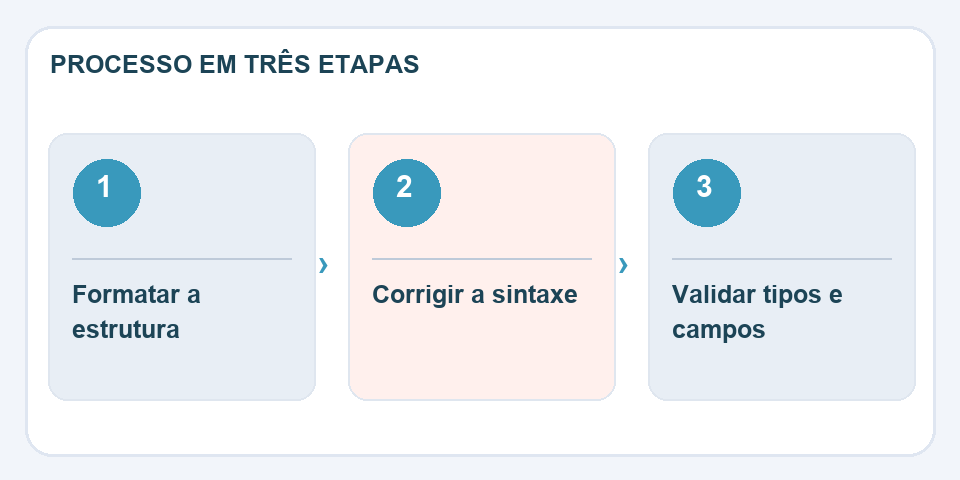
When a validator indicates a line, also examine the previous one. An open delimiter above may cause an error only when the parser encounters the next element. In automatically generated data, compare the first and last part of the file to find out if truncation occurred.
Never share secrets carelessly
Before copying JSON to external environments, remove tokens, passwords and personal data. If the content is sensitive, choose tools that process locally and review how they work. After correcting the syntax, test with the real system: a valid JSON can still contain wrong information.
Beautiful JSON can still be wrong
An object can be syntactically valid and still send the date in a format that the service does not accept. For example, the API expects a list of products but receives a single object; the formatter has no way of knowing the contract for this integration. After fixing the indentation, check the system documentation for the exact names of the properties and which fields are required.
If you are debugging a bug, reduce the example without erasing the problematic behavior. Smaller JSON makes it easier to notice an incorrect type or repeated property. Don't forget that control characters, quotation marks and backslashes within strings must obey the format rules. In logs shared with third parties, replace credentials and personal information with fictitious values before sending.
Also read
- CSV to JSON: be careful with accents, zeros and spreadsheet numbers
- Compare texts: find discrete changes between two versions
- How to copy text from a photo without introducing errors into the document
Technical reference: JSON format structure and syntax (JSON.org).

Fabiano Freitas has a degree in Information Technology Management and writes about technology applied to everyday life, digital tools and productivity. At FileBito, it publishes practical guidance on PDF, images, data and conversions, with attention to privacy, file quality and checking results.