
CSV to JSON: be careful with accents, zeros and spreadsheet numbers
Learn how to transform CSV into JSON without changing codes, decimal separators, headers and empty fields.

A store exports products in CSV to integrate inventory with another system. The file opens normally in the spreadsheet, but codes that start with zero disappear when they are treated as numbers. Format conversion is also a decision about data types.
Find the correct separator
CSV can use commas, semicolons, or other delimiters. A description with commas inside quotation marks must remain a single field. Before useConvert CSV JSON, check that the headers are interpreted as columns and that the rows contain the same number of expected values.
In Brazilian files, the decimal point can complicate interpretation. Financial values need to have a clear convention; simply changing punctuation throughout the entire content can corrupt descriptions and addresses.
Identifiers are not quantities
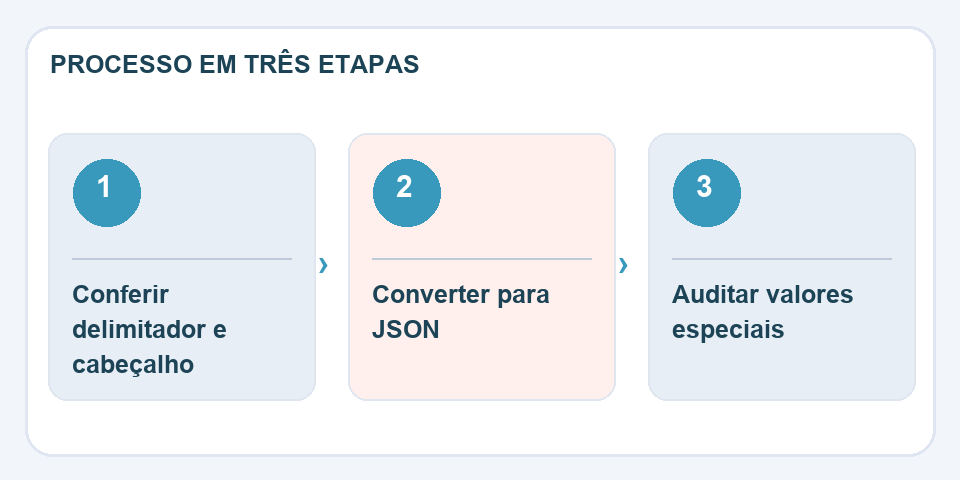
ZIP code, registration number and product code may appear to be numbers, but they must often remain text. Preserve leading zeros and check empty cells: empty,nulland the absence of the property are different situations for an API.
Check by smart sampling
Instead of checking just the first line, compare records at the beginning, middle, and end. Also choose a record with an accent, one with quotation marks and one with missing fields. Count how many items there are in the final JSON and compare to the valid rows in the CSV. Save the source CSV so you can repeat the conversion after fixing a rule.
Check lines that deviate from the standard
A small table seems to convert perfectly because the first few rows are simple. The problem appears in records that contain a description in quotation marks, a line break within the cell, or a name with an accent. These cases are the true test of a CSV importer. After converting, select outliers and compare the complete content, including meaningful spaces and punctuation.
If the first column is an identifier such as “000184”, do not allow an automatic conversion to change it to 184. For repeated imports, document the separator, text encoding, and interpretation of empty values. A small sample file with difficult situations helps validate future adjustments. Before replacing data in production, do a test import that can be discarded without affecting existing records.
Also read
- PDF to Excel: How to Recover a Table Without Blindly Trusting the Columns
- PNG, JPG and WebP: choose the right format for each image
- Word counter: how to meet limits without impoverishing the text
Technical reference: CSV file structure conventions (RFC 4180).

Fabiano Freitas has a degree in Information Technology Management and writes about technology applied to everyday life, digital tools and productivity. At FileBito, it publishes practical guidance on PDF, images, data and conversions, with attention to privacy, file quality and checking results.