
Compare texts: find discrete changes between two versions
Compare document versions and review changes to numbers, deadlines and clauses that may go unnoticed.
A supplier sends the revised proposal with the message “I just adjusted the date”. The file looks the same as the previous one, but there is a difference in the payment term. Comparing texts helps you spot changes that a quick visual read might not find.
Prepare both versions
Use well-identified source files and extract text if necessary. THECompare textsHighlights added, removed, or changed snippets. If a version came from a PDF, check that the extraction did not put words out of order; Line breaks and headers can produce differences without actual content change.
Before comparing, remove only known noise such as duplicate spaces generated in the copy. Do not normalize values, scores or numbers: relevant changes may occur precisely at these points.
Read the differences with priority
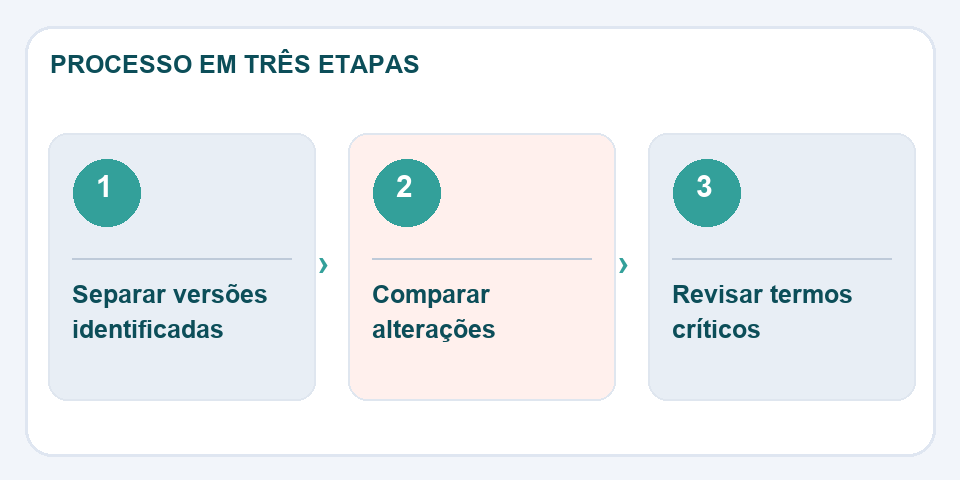
Start with names, percentages, dates, fines, amounts and obligations. In a contract, changing “may” to “shall” changes the meaning a lot. A tool highlights the excerpt, but does not replace the legal or technical interpretation required by the subject.
Record the editorial decision
When a change is accepted, save a labeled copy of the new version. If it is rejected, write down the reason and the exact excerpt. Thus, the comparison stops being just a screen of markings and starts to support a review with a verifiable history. For sensitive content, confirm where files are processed before sending them to external services.
One word can change the entire obligation
When comparing two proposals, start with seemingly small excerpts: dates, percentages, deadlines and expressions such as “should”, “may” and “up to”. Changes of this type can have greater consequences than replacing an entire presentation paragraph. The tool highlights differences, but the person responsible needs to evaluate the context in which each change appears.
If the versions came from different sources, such as Word and PDF, review the extraction beforehand to avoid false positives caused by line breaks or formatting. Record the name of the compared files and the date of analysis. When accepting a change, keep a new version identified. This makes it possible to explain, weeks later, which text was approved and where each decision came from, without relying solely on the memory of those who participated in the review.
Also read
- Word to PDF: the revision that avoids broken pages and changed fonts
- Signature drawn on PDF and digital signature: understand the difference
- Header and footer in PDF: organize versions and avoid confusion
Technical reference: certification and digital signature in Brazil (ITI).

Fabiano Freitas has a degree in Information Technology Management and writes about technology applied to everyday life, digital tools and productivity. At FileBito, it publishes practical guidance on PDF, images, data and conversions, with attention to privacy, file quality and checking results.