
Markdown for PDF: how to share documentation without taking the repository along
A simple way to export Markdown technical notes to PDF, with readable titles and lists and attention to unsupported features.
README, deployment instructions, project notes: A lot of documentation is born in Markdown because it's easy to write and version. But not every recipient wants to open a code editor. Exporting a PDF can make it easier to send, as long as the content doesn't depend on features that the converter doesn't interpret.
Test with a representative snippet
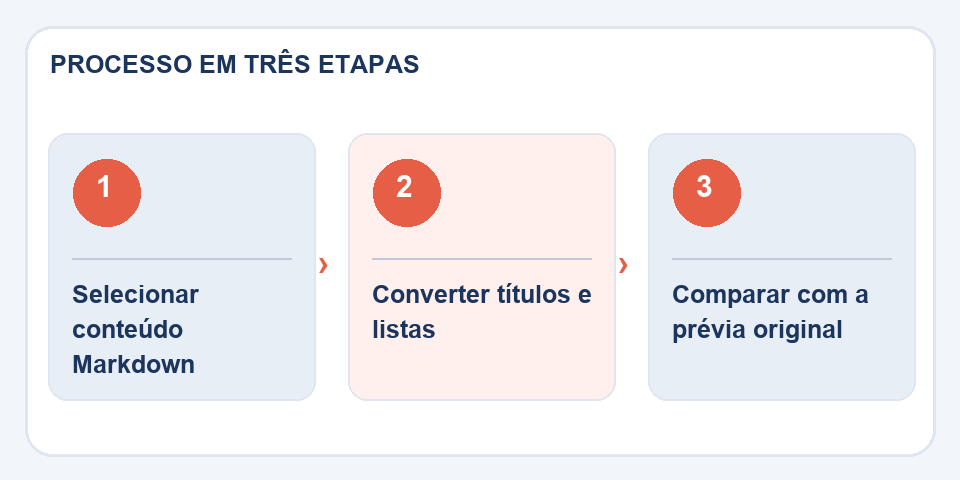
Before converting fifty pages, choose a sample with a title, numbered list, code block, and link. THEMarkdown for PDFrecognizes basic structures, but the presentation of complex tables, external images, and code snippets does not necessarily match that of a full Markdown renderer.
This happens because Markdown has variations. Some extensions accept tables, diagrams, and footnotes, while others only interpret titles, lists, and simple formatting. The file.mddoes not alone guarantee that the recipient will see the same page in all programs.
Write for those who won't see the repository
A relative link like../images/flux.pngIt can work within the project and get lost outside of it. If the image is essential, include a description or export it using an editor that understands local files. Links to external documentation also deserve review, because a broken URL becomes a useless reference.
Installation lists must present commands in the correct order. Check that the blocks have been separated clearly and that characters such as slashes, hyphens and quotation marks remain legible. In manuals, a slight difference in the command can prevent someone from reproducing the procedure.
Choose the format by audience
To collaborate on documentation, keep Markdown as your primary source. To distribute a reading version, PDF is convenient. If you need searches, accessible links, and copyable code, use a high-fidelity textual export in the appropriate editor.
At the end, compare the generated file with the Markdown preview. Read it like someone who has never opened the project: can they understand the steps just from what is in the PDF? If so, the conversion fulfilled its role.
Documentation needs to survive outside the editor
Markdown is great for writing guides and technical notes because titles, lists, and examples are visible even in plain text. The challenge arises when the PDF needs to represent blocks of code, tables or large images. A line that is too long may extend beyond the margin, and a wide table may require a different page orientation. Therefore, do a test export before distributing an entire manual.
When there are links to local files, check that the recipient will be able to access them; a path that works on your computer may mean nothing on another machine. In images, prefer a caption that explains what is being shown instead of just “Figure 1”. If the document is updated frequently, save the Markdown file as the main source and generate versioned PDFs for each publication.
Also read
- HTML to PDF: turn a page into a document without losing the essentials
- PDF watermark: how to identify a copy without disturbing reading
- Sideways PDF pages: how to rotate without redoing the document
Technical reference: Markdown syntax and formatting (CommonMark).
Questions that often appear
Does PDF maintain complex Markdown tables?
The simplified converter may not reconstruct them. For advanced tables, use a specific renderer.
Are code snippets still copyable?
The PDF in this tool uses rasterized pages, so the content may not be selectable.

Fabiano Freitas has a degree in Information Technology Management and writes about technology applied to everyday life, digital tools and productivity. At FileBito, it publishes practical guidance on PDF, images, data and conversions, with attention to privacy, file quality and checking results.