
PDF watermark: how to identify a copy without disturbing reading
Learn how to set the text, transparency, and position of a watermark that signals drafts or internal versions.
“DRAFT”, “INTERNAL USE” or the name of a project can help distinguish documents in circulation. The problem begins when the watermark becomes so strong that it hides numbers in a table or makes a contract tiring to read. The effect should inform, not compete with the content.
Start with the brand’s purpose
If it serves to indicate a provisional version, a short word will usually suffice. If the goal is to identify a recipient, include only what is necessary to recognize the copy. Avoid including personal data in documents that may be circulated widely.
A diagonal center mark is easy to see, but can cut through signatures and graphics. Discreet text in the footer is less invasive, but it goes unnoticed more easily. The choice depends on the use: internal review, proposal presentation or distribution of study material.
Contrast and transparency require testing
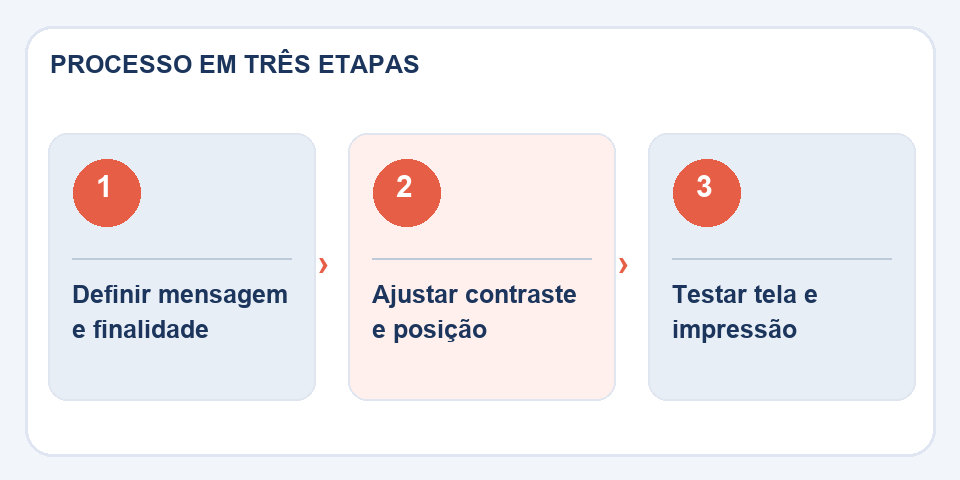
In the toolPDF watermark, prefer soft tones and check transparency on light and dark backgrounds. An almost invisible mark on white paper can be very prominent on a photograph. Also test pages with dense tables and footnotes.
Size matters. Very large letters cross important areas; Too small they don't fulfill their function. Think about reading on a cell phone screen, because most PDFs are opened with a reduced zoom.
Don't confuse identification with rights protection
A visual tag can discourage misuse and make the status of a release clear. It does not prevent page extraction, screenshot or document reconstruction. To control access, use appropriate permissions and channels in addition to branding.
Finally, open the exported version in another reader and check if the brand appears on all expected pages. If the document will be printed in black and white, proof print it; certain tones fade on paper, while others appear darker than they appeared on screen.
Position changes depending on the page
A mark that works on a cover with large empty areas might cover numbers in a table or details in a technical drawing. Do a test run on the densest page first. If the document contains graphics, maps or photographs, consider a discreet footer or a diagonal mark with enough transparency so as not to compete with the information.
The text also needs to be thought out. “Draft for review” describes a temporal condition; “Consultation copy” indicates the purpose. Using “Confidential” without a real distribution policy can create false security. A visible watermark does not automatically prevent text copying or replace access control. Before delivering, print or view in grayscale: colors that appear soft on your monitor may become dark when the printer converts the page.
Also read
- Header and footer in PDF: organize versions and avoid confusion
- HTML to PDF: turn a page into a document without losing the essentials
- Sideways PDF pages: how to rotate without redoing the document
Technical reference: organization and numbering of pages in PDF (Adobe).
Questions that often appear
Does a watermark prevent people from copying the PDF?
No. It visually identifies the copy, but does not function as cryptographic protection.
Is it better to use diagonal text?
It depends on the document. Unobtrusive positioning may work best when there are tables and signatures.

Fabiano Freitas has a degree in Information Technology Management and writes about technology applied to everyday life, digital tools and productivity. At FileBito, it publishes practical guidance on PDF, images, data and conversions, with attention to privacy, file quality and checking results.