
How to join PDF documents without messing up the page order
A simple method for gathering attachments, contracts and receipts into a single PDF, without losing sequence or forgetting pages.
When an application asks for ID, proof of address and declaration in a single PDF, the rush often produces a confusing document. The file even opens, but the receipt appears before the declaration, there is a page turned sideways and no one knows where each attachment ends. Taking a few minutes to organize everything before merging avoids this type of rework.
Start in the order the reader expects
Create a list of what needs to go into the file and give the PDFs clear names:01-identification, 02-receipt, 03-declaration. The numbers help you visualize the sequence in the folder, but also check the thumbnails within the tool. A three-page PDF may contain a blank sheet in the middle; just looking at the file name doesn't reveal this.
If there are documents with dates, define whether the presentation will be chronological or by type. For a dossier, a simple cover with a list of attachments can make reading easier. When sending a contest, follow exactly the order requested in the notice or form, without adding unnecessary pages.
Merge and review crossing points
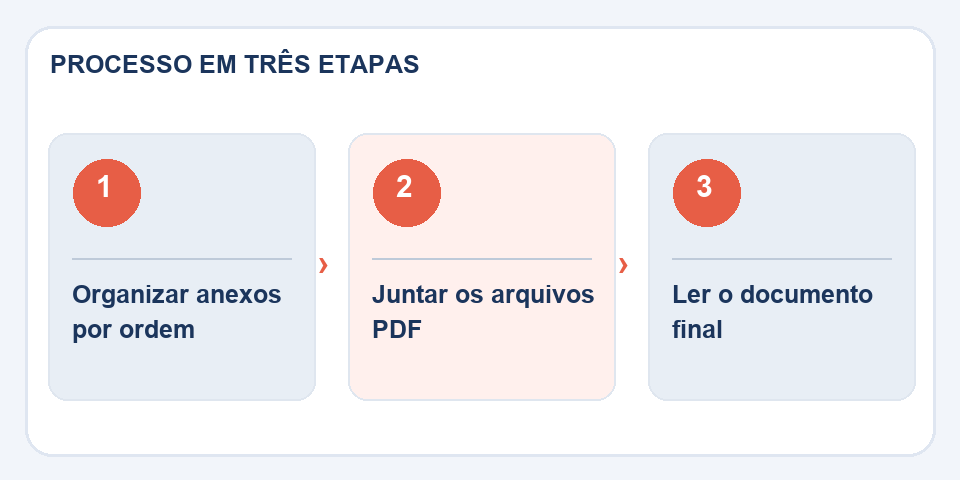
AbraMerge PDF, select the documents and arrange the cards in the desired order. After generating the result, go to the end of each attachment and check the beginning of the next one. It is precisely at these points that a duplicate page or an exchanged file goes unnoticed.
Also check the orientation: horizontal pages may be valid in spreadsheets, while rotated photographs of documents impair reading. The toolrotate PDFsolves this problem without requiring you to redo all the material.
When it's not convenient to put everything together
Avoid collecting files unnecessarily just because the system accepts a PDF. Documents with different levels of confidentiality, for example, may need to be circulated separately. In digitally signed materials, changing the structure may affect signature checks; Always preserve the originals and test validity when relevant.
Before sending, open the final copy in an independent reader, scroll through the pages and check the size required by the recipient. The best PDF is the one that the other person can understand the first time they open it, without having to ask for another copy.
The detail that saves a last-minute dossier
When there are attachments from different people, agree on a convention first: proof of address after identification, contracts in the order in which they were signed and receipts from oldest to newest, for example. There is no universal sequence; The important thing is that whoever receives the set can understand the reasoning without calling to ask. If the recipient has a list of required documents, use that list as a roadmap.
Another little-remembered care is the back pages. Two-sided scans sometimes add completely white sheets between documents. In other cases, the back contains a stamp, protocol or essential note. Please review these snippets before deleting any pages. A final reading of the complete PDF, in final order, usually reveals problems that go unnoticed when you look file by file.
Also read
- PDF too big? How to divide by chapter, subject or attachment
- How to number pages of PDF reports and handouts
- How to join PDF online for free (without installing anything)
Technical reference: organization and numbering of pages in PDF (Adobe).
Questions that often appear
Does joining change page sizes?
A final file can bring together sheets of different sizes. Check if this is acceptable to the recipient.
Can I attach signed documents?
You can combine files, but editing operations may affect digital signature verification. Preserve signed originals.

Fabiano Freitas has a degree in Information Technology Management and writes about technology applied to everyday life, digital tools and productivity. At FileBito, it publishes practical guidance on PDF, images, data and conversions, with attention to privacy, file quality and checking results.