
PDF too big? How to divide by chapter, subject or attachment
Learn how to transform a long PDF into parts with clear names and correct page ranges, avoiding incomplete attachments.
An eighty-page report arrived in one piece, but the team only needs the financial chapter. Forwarding the complete file forces everyone to look for the information and may even expose unnecessary content. Separating by subject solves both problems, as long as the page ranges are chosen carefully.
Print numbering and reader numbering are different things
This detail causes more errors than it seems. A document can have a cover, index and preliminary pages without numbers. The page marked “10” in the footer is perhaps the thirteenth page in the file. Before dividing, find out the number thatPDF readershows, because this is what the tool usually uses.
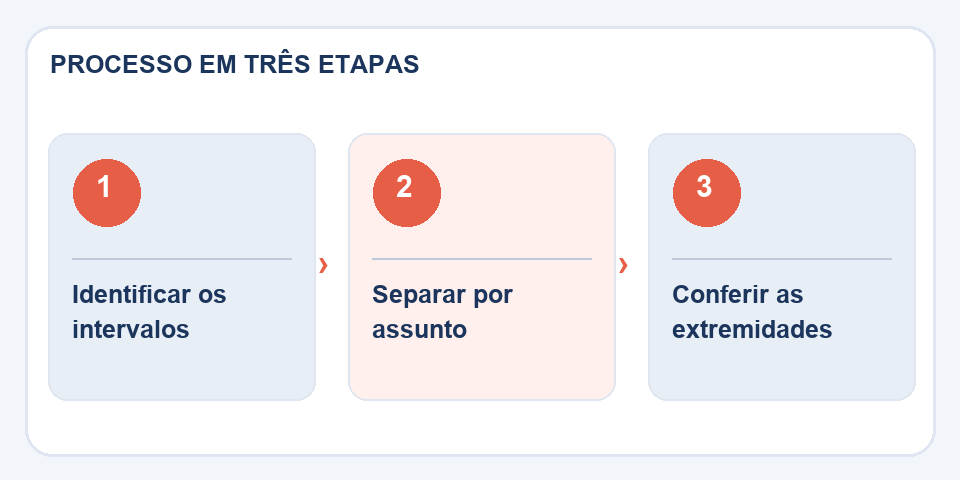
Note where each section begins and ends. A table of contents can help, but check the pages visually: if appendices have been scanned or included, the table of contents may be out of date. In documents with tables, avoid cutting the caption or explanatory note from the next page.
Choose a criteria that makes sense outside of your computer
To distribute training, dividing by module works better than creating arbitrary ten-page files. For attachments to a process, consider keeping each document complete. A digital book with many chapters can be separated into larger blocks to avoid generating dozens of downloads.
In the toolSplit PDF, select the file and configure the available ranges. Name the outputs with the theme and, if necessary, with a sequential number. Avoid names like “final-part-v3-new”, which become impossible to identify after a few revisions.
Confirm continuity
Open the last page of the first section and the first page of the next section. No information can come between the two. Compare the page count of the separate files with the original count and check that there is no unwanted overlap.
If the destination only allows one attachment, splitting may not be the best solution; may be necessarycompress PDFor remove unnecessary pages. Do this about copies. The original document is the reference in case anyone questions whether a page is missing.
How to deliver the parts without confusing the recipient
Dividing a 180-page workbook into six files only helps when the names make the content clear. Prefer something like “01-introducao”, “02-exercicios” and “03-answer” to automatic names like “part-1-final”. If the material has a printed summary, note which original page each excerpt came from; page 12 of the new PDF may have been page 68 of the previous document.
Files with contracts and receipts deserve a logical separation. An isolated receipt, without the page that identifies the operation, may lose context. If there are digital signatures or certifications, the division can change the verifiable integrity of the documents: always preserve the entire file and consult the requirements of the receiving agency. For personal use or studies, the division brings practicality; For formal presentation, it is worth checking the rules first.
Also read
- Header and footer in PDF: organize versions and avoid confusion
- Signature drawn on PDF and digital signature: understand the difference
- Flatten PDF: why comments and fields may change when printing
Technical reference: organization and numbering of pages in PDF (Adobe).
Questions that often appear
Can I split without changing the quality?
In operations that preserve the original pages, the appearance is usually maintained. Check the result, especially in complex documents.
How do I avoid skipping a page?
Use the viewer's page count and compare the last page of each part to the first of the next.

Fabiano Freitas has a degree in Information Technology Management and writes about technology applied to everyday life, digital tools and productivity. At FileBito, it publishes practical guidance on PDF, images, data and conversions, with attention to privacy, file quality and checking results.