
PDF to HTML: what changes when a document becomes a page
Learn how to convert PDF content to HTML and understand why structure, fonts and accessibility need revision.
A course brochure was approved as a PDF, but the team now needs to publish the same information on the website. It seems natural to convert the file and put the result live. But a web page responds to the size of the screen; a PDF page is designed to have fixed dimensions.
Start with the content that really matters
Before converting, separate what is essential text from what is decoration: opening hours, address, registration links, prices and conditions deserve to be in readable HTML elements. Text turned into images cannot be selected and may make it difficult to use for people who rely on screen readers. THEPDF to HTMLIt can help to get a first version, which should be reviewed in the browser.
If the PDF has two overlapping columns, tables or boxes, the reading order may be scrambled. Read the generated HTML from top to bottom and check if the reasoning still makes sense. A subtitle that appears after a footer, for example, is a sign that the structure needs to be reorganized.
The most useful test happens on mobile
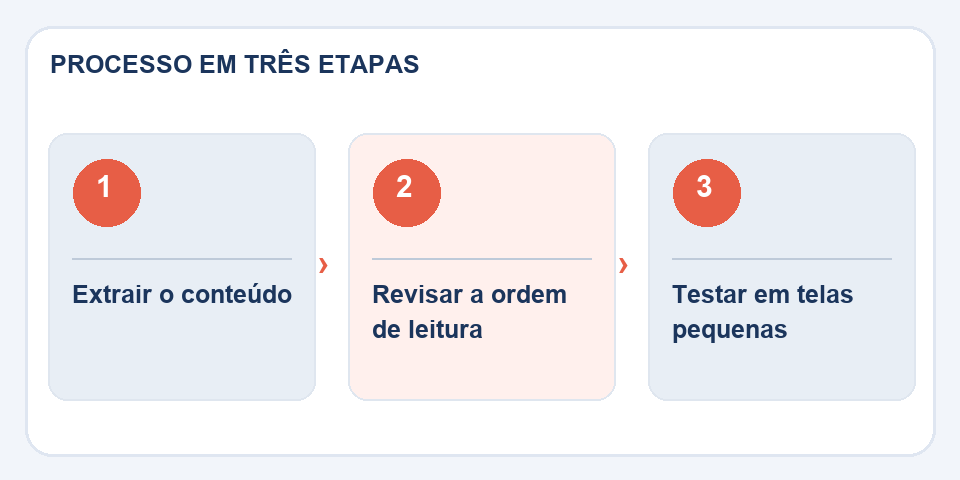
Open the page on a narrow screen, increase the font size and navigate the links with just the keyboard. Check that no sections were cut, that the tables are readable and that the images have received suitable alternative texts. The goal is not to imitate every millimeter of the PDF: it is to allow the information to remain clear.
Keep the original and update carefully
When the HTML is ready to publish, keep the PDF on file as a layout and version reference. If values or dates change, update both sources deliberately. Having contradictory content in different formats causes more problems than an imperfect conversion.
News published on the web needs hierarchy
A PDF document can simulate a title with large font and centering, but this does not guarantee that the resulting HTML will identify the title as a heading. For screen readers and search engines, structure matters: use a clear main title, subtitles in sequence and paragraphs that follow the natural reading order. Don't use font size as the only sign of importance.
If the PDF contains warning boxes, transform each warning into contextualized text, rather than positioning elements arbitrarily by coordinates. Links like “click here” can also be rewritten with names that indicate the destination. Imagine a reader accessing it on their cell phone, with zoom and without viewing the original layout. If he can still find the registration deadline and contact details, the transformation has served its purpose.
Also read
- HTML to PDF: turn a page into a document without losing the essentials
- Markdown for PDF: how to share documentation without taking the repository along
- How to join PDF documents without messing up the page order
Technical reference: page structure and accessible reading order (W3C).
Questions that often appear
Will HTML be identical to PDF?
Not always. A web page needs to adapt to screens and may require structure and CSS adjustments.

Fabiano Freitas has a degree in Information Technology Management and writes about technology applied to everyday life, digital tools and productivity. At FileBito, it publishes practical guidance on PDF, images, data and conversions, with attention to privacy, file quality and checking results.