
PDF page sizes: how to adapt a file to A4
See how to adjust the size of PDF pages without cropping tables, maps, signatures or footnotes.
A booklet file includes A4 pages, a wider presentation sheet and two landscape graphics. On the screen everything looks normal. When printing, however, the equipment cuts the sides or reduces the text too much. This happens because each page can load a different size.
Find out the size before moving
Open the document properties or print preview and check the format. A4, Letter, and custom sizes are not equivalent. InResize PDF pages, select the desired format knowing that resizing may involve scaling, repositioning, or filling margins.
A technical drawing should not be adjusted without attention to scale. If the document indicates physical measurements, the size change may make the printed marking misleading. In this case, consult the person responsible for the file and preserve an unaltered copy.
Prefer to preserve the proportion
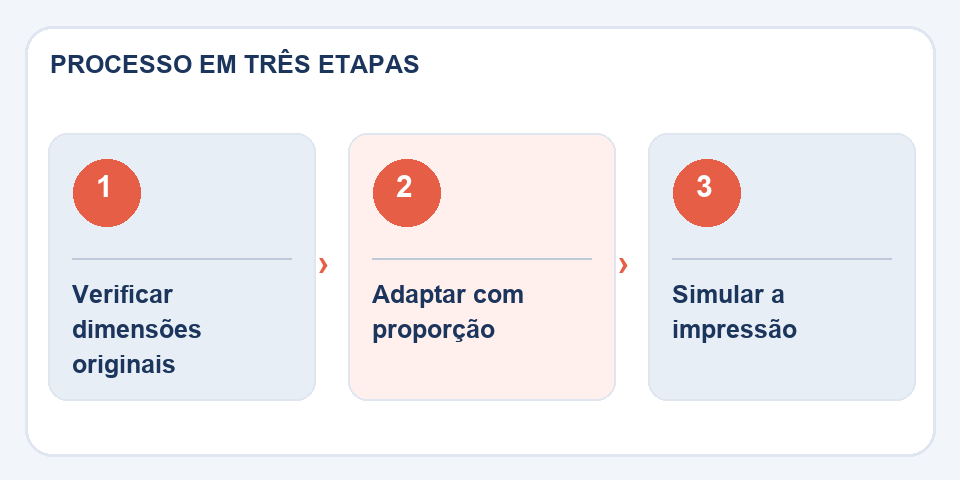
When adapting content to A4, make sure the converter maintains the page aspect ratio. Stretching horizontally to fill the entire paper deforms graphics, photographs and letters. Adding margins is often less risky than cutting out information.
Test with the most difficult page, usually the one with the widest table or the signature near the footer. Zoom in on the view and look for content against the edge. If you have landscape pages, consider keeping them that way or printing in automatic orientation.
Review the full sequence
Count the pages after the operation and confirm headers, footers and numbering. Printing ten different pages can hide an error that only appears on the last one. The correct size is the one that makes the document usable, not just the one that matches the name chosen in the menu.
Wide tables ask for conscious choices
Trying to fit a vertical A4 spreadsheet tends to reduce the font to the point where no one can read the numbers. In this case, maintaining a horizontal orientation may be more sensible than forcing a standardized page. When there are excessive margins, adjusting the usable area is another alternative, as long as you don't crop content. The goal is to preserve readability, not just the uniform appearance of the stack of sheets.
For materials that will be bound, reserve space near the spine. A perfectly centered report on the screen can hide the first column when stapled or punched. If the recipient requires exact dimensions, also check the difference between A4 and Letter. Test print or simulate final scaling before changing dozens of pages at once.
Also read
- Excel to PDF: How to prevent table from being cut off when printing
- Sideways PDF pages: how to rotate without redoing the document
- HTML to PDF: turn a page into a document without losing the essentials
Technical reference: print and pagination styles for the web (MDN).

Fabiano Freitas has a degree in Information Technology Management and writes about technology applied to everyday life, digital tools and productivity. At FileBito, it publishes practical guidance on PDF, images, data and conversions, with attention to privacy, file quality and checking results.