
Put password on PDF: how to protect access without losing control
See when an opening password helps, how to share it securely and what precautions to take with copies of the document.
A table of values, a budget or a registration form needs to reach someone, but you prefer that the file not be opened to anyone who finds the attachment. An opening password can be a useful barrier. It's just not appropriate to treat it as a complete solution to all sharing risks.
File password and usage permission are not the same thing
PDFs can have opening protection and editing, printing, or copying restrictions. The first prevents access to content without the correct credential; the others depend on PDF reader support and behavior. For sensitive information, prioritize a strong opening password and access controls for the channel used to send the file.
When usingProtect PDF, choose a long and unique password. Birthdates, phone numbers, or easy-to-guess words are bad choices. A random sentence with several unrelated words is often easier to remember than a short, seemingly complicated sequence.
The shipping method also matters
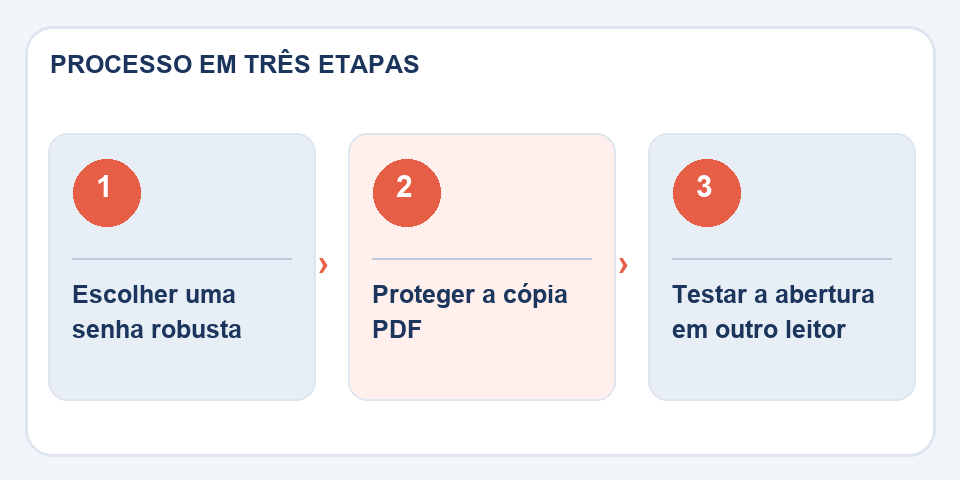
Sending the PDF and password in the same message reduces protection if that channel is accessed by someone else. When possible, share the credential through another means and confirm who the recipient is. In companies, follow the internal policy for exchanging files and storing passwords.
Before sending, reopen the protected PDF in another reader. Can you access it with the written password? If a tool only blocks editing but allows you to open without a password, the result may not be what you intended.
Keep a manageable copy
Forgetting the password may make the document inaccessible. Keep the original version in a safe place or use a reliable password manager. Avoid replicating too many “protected” copies in uncontrolled shared folders.
Remember that someone authorized to open the PDF can photograph the screen or reproduce the content. Password protection helps reduce casual access, but it doesn't eliminate the need to evaluate what is being shared and with whom.
How to share your password without voiding protection
Sending the PDF and password in the same email offers little separation between the two pieces of information. In sensitive files, combine a different channel to report the code, especially when the document contains personal, financial or business data. The password must be sufficiently difficult to guess and must not repeat the recipient's name or date of birth.
It is also worth testing whether protection is actually requested when the file is opened in another program. Some PDFs only restrict operations such as printing and editing, which is different from requiring a password to read. If the document is going to be digitally signed or filled out, check the flow first: certain restrictions may prevent a legitimate step. Note in a safe place which version was uploaded and which permissions were configured.
Also read
- Signature drawn on PDF and digital signature: understand the difference
- PDF watermark: how to identify a copy without disturbing reading
- PowerPoint to PDF: how to share slides without depending on the program
Technical reference: passwords and protection of PDF documents (Adobe).
Questions that often appear
Does a PDF password prevent screenshots?
No. Anyone who views the content can photograph it or copy it by other means.
Should I send the password along with the PDF?
For sensitive materials, prefer separate channels and confirm the identity of the recipient.

Fabiano Freitas has a degree in Information Technology Management and writes about technology applied to everyday life, digital tools and productivity. At FileBito, it publishes practical guidance on PDF, images, data and conversions, with attention to privacy, file quality and checking results.