
Word counter: how to meet limits without impoverishing the text
Use word and character counts for resumes, applications, and publications while maintaining clarity and context.
The registration form accepts a submission of up to 800 characters. You write a text that seems short, but it is rejected. Word count does not solve this limit: characters include letters, spaces and, according to the form rule, other signs.
Discover what is being told
Um Text Counterhelps you compare words, characters and other indicators. Platforms may have their own criteria for emojis, line breaks and special characters. When space is strictly limited, check the value on the target system itself before finalizing.
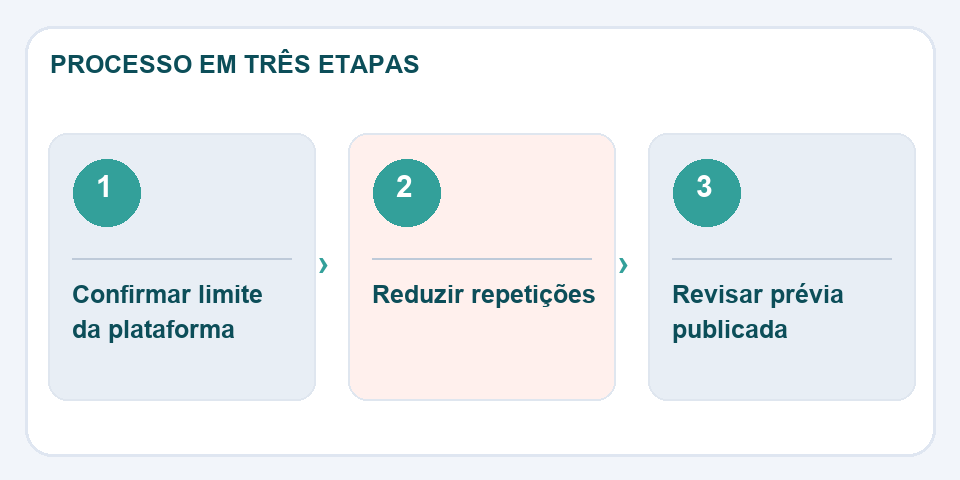
For a resume, shorter length is only useful when the main information remains visible. Prefer concrete verbs, eliminate repetitions and replace vague phrases with verifiable results. Avoid cutting prepositions or joining words just to save two characters: it makes reading worse.
Summaries have a different structure
In a short description, start by telling what the reader will find. Then add the most important condition, such as deadline, audience or format. If there is space, include a useful detail; otherwise, remove embellishments before removing essential information.
Review in final context
Copy the text to your form, profile, or post and see how it appears. Some platforms cut the preview before the allowed limit. Have it read by someone who doesn't know the subject, when possible. Counting helps you fit; editing carefully helps it to be understood.
Cutting words does not mean cutting information
In a short professional presentation, phrases like “I am a dedicated and committed person” take up space without saying exactly what was accomplished. Replacing generalities with concrete tasks or results makes the text more useful and often shorter. For example, mentioning that you organized documents, served customers or kept track of deadlines tells more than piling on adjectives.
When the limit is characters, also count the spaces and test the text in the definitive field. Some systems show a preview that is shorter than the space available for editing. If the platform allows paragraphs, distribute the information to make it easier to read, even with a strict limit. The count is just the numerical indicator; quality comes from choosing which details help the reader understand what is essential.
Also read
- Compare texts: find discrete changes between two versions
- Video too big to send: compression without destroying audio and subtitles
- Header and footer in PDF: organize versions and avoid confusion
Technical reference: guidance on useful and readable content (Google).

Fabiano Freitas has a degree in Information Technology Management and writes about technology applied to everyday life, digital tools and productivity. At FileBito, it publishes practical guidance on PDF, images, data and conversions, with attention to privacy, file quality and checking results.