
Header and footer in PDF: organize versions and avoid confusion
Learn how to identify PDF reports with headers and footers without overlaying important information.
In a meeting, three people open similar reports and no one knows what the final version is. A discreet header with the document name and a footer with the date can avoid file switching, especially when pages are printed separately.
Think about the purpose first
An internal material can include department, project code, and version classification. A public form requires fewer visual elements: the header should guide, not take up the space of the response. The tool PDF header and footer allows you to prepare a copy with repeated identification between pages.
Don't automatically place sensitive information in every footer. Personal addresses, document numbers and internal telephone numbers can be circulated beyond the team. Review the need for this data before writing the new version.
Small margins are a trap
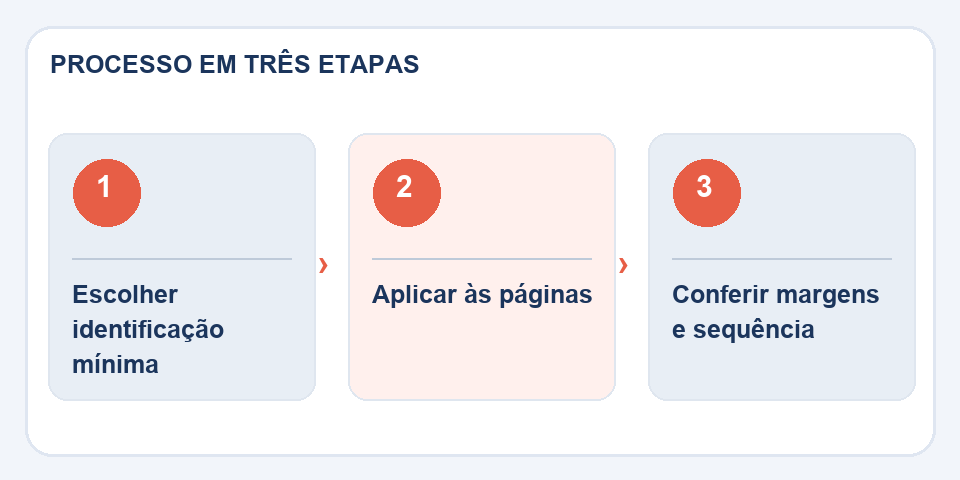
If the original PDF already uses the entire sheet area, inserting text at the top may cover headings. Prefer conservative positions and sizes; test a page with content to the edge. It is not enough to check an empty or cover page, as the problem usually arises on fuller pages.
If you are also going to number pages, decide whether the footer should count the cover. Documents that combine Roman numerals at the beginning and common numbering in the body may require separate treatment.
The version needs to tell a clear story
Use consistent identification, such as Visit report · review 02 · October 2026. Then check that all pages have received the text, that the accents are correct and that nothing has been covered up. The header is for reading purposes; any element that hinders it needs to be reviewed.
Correct identification avoids competing versions
In teams that exchange documents via messages, versions like “relatorio_final_2” appear easily. A well-planned header can include the project name and type of document, while the footer informs revision and date. So, even if the file is renamed, each page still carries part of the necessary identification. This is especially useful when different report sheets end up mixed up on a table.
However, avoid creating a footer that is so busy that it takes away space from the main text. On sheets with many numbers, small overlaps are difficult to notice. Test pages with tables and images, check the contrast in black and white print and do not include a telephone number or personal address unnecessarily. For official documents, consult the required formatting standard before inserting additional tags.
Also read
- Signature drawn on PDF and digital signature: understand the difference
- Flatten PDF: why comments and fields may change when printing
- PDF to Excel: How to Recover a Table Without Blindly Trusting the Columns
Technical reference: organization and numbering of pages in PDF (Adobe).

Fabiano Freitas has a degree in Information Technology Management and writes about technology applied to everyday life, digital tools and productivity. At FileBito, it publishes practical guidance on PDF, images, data and conversions, with attention to privacy, file quality and checking results.